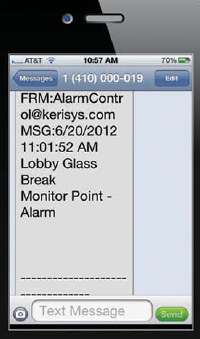
The Global Linkage Module and related user interface screens provide a means of automating system functions, features and notifications system-wide. The configuration of the Global Linkage Module consists of two parts; the Global Macro (what you want to happen) and the Global Trigger (when do you want the Macro to execute) along with the source of the Global Trigger.
A comprehensive mass notification system provides the ability to automatically send out mass notifications to alert proposed stakeholders with minimal effort. There are multiple tiers to the alert process that simultaneously sends out programmed text messages to all concerns subscribers overs any number of services and devices such as pagers, PDSs, cell phones, Email and Instant Messenger.
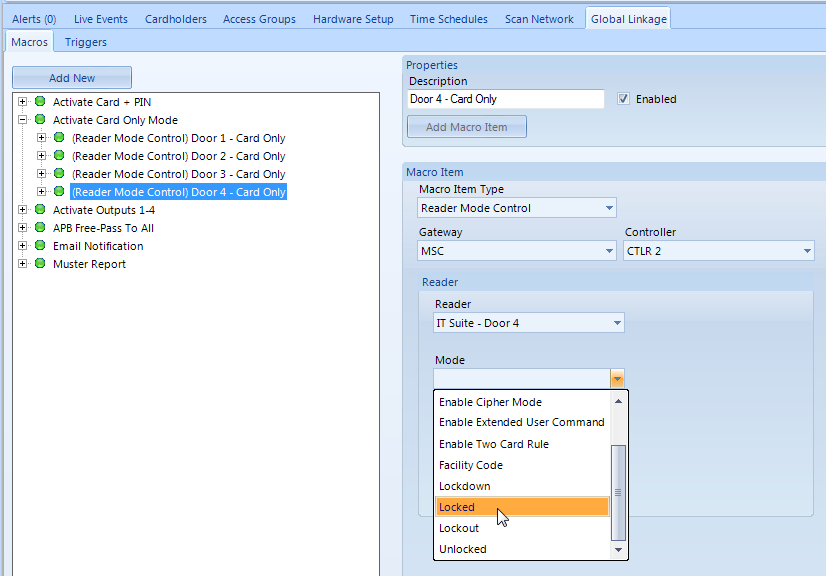
The Global Macro is an action or a list of actions to perform. The macro can be executed by the following: Global Linkage Trigger Condition, Host Schedule (activate or deactivate), Manual (right-click on the selected macro, then 'execute' from the context menu), Map Client (create a smart element of Global Linkage type) and System Calendar.
The Host Based schedule runs on the Application Server PC (the host PC) and uses the Doors.NET time schedules and the PC clock time as the time source. These time schedules can be used in the System Calendar, in a Global Trigger condition as part of the evaluation criteria, or in a Global Macro as an action item.
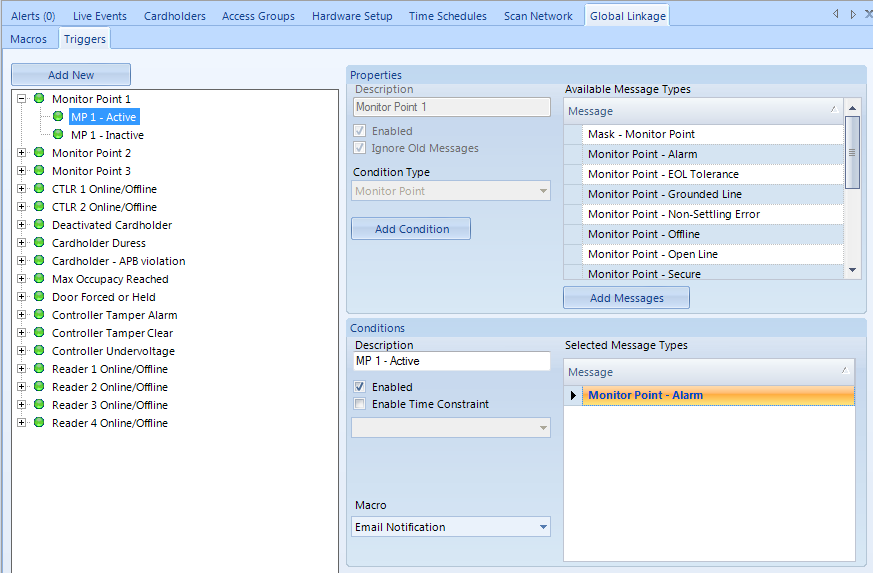
Each Global Trigger can have multiple conditions of the same type. Each condition of the Global Trigger is evaluated independently of the other conditions. This allows the configuration of multiple macros from the same source (i.e a certain reader) with different macros being executed based on the message type being generated from that reader, along with the time of day or the access group of a cardholder using that reader.
A Global Trigger can consist of many conditions with each condition having its own description, an enabled property and other conditional selections. This allows you to quickly identify the purpose of each condition and to enable (default) or disable the condition as needed.
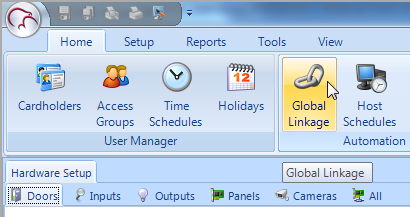
The Global Linkage menu is accessed via Home >> Global Linkage.
The feature is supported on all Doors.NET controller types. It is an optional module that has to be enabled in the Doors.NET license.
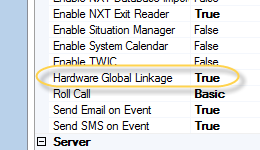
As with Local Linkage there are many different custom scenarios that can be setup and used. Global Linkage means a trigger coming from one controller can activate an action on a different controller, or multiple controllers.
For example, you could:
Global Linkage functionality is dependent on the controllers being connected to and communicating with the software. If the host PC is switched off or the connection to the controllers is broken then Global Linkage functionality ceases.